Start with what your plan needs to account for.
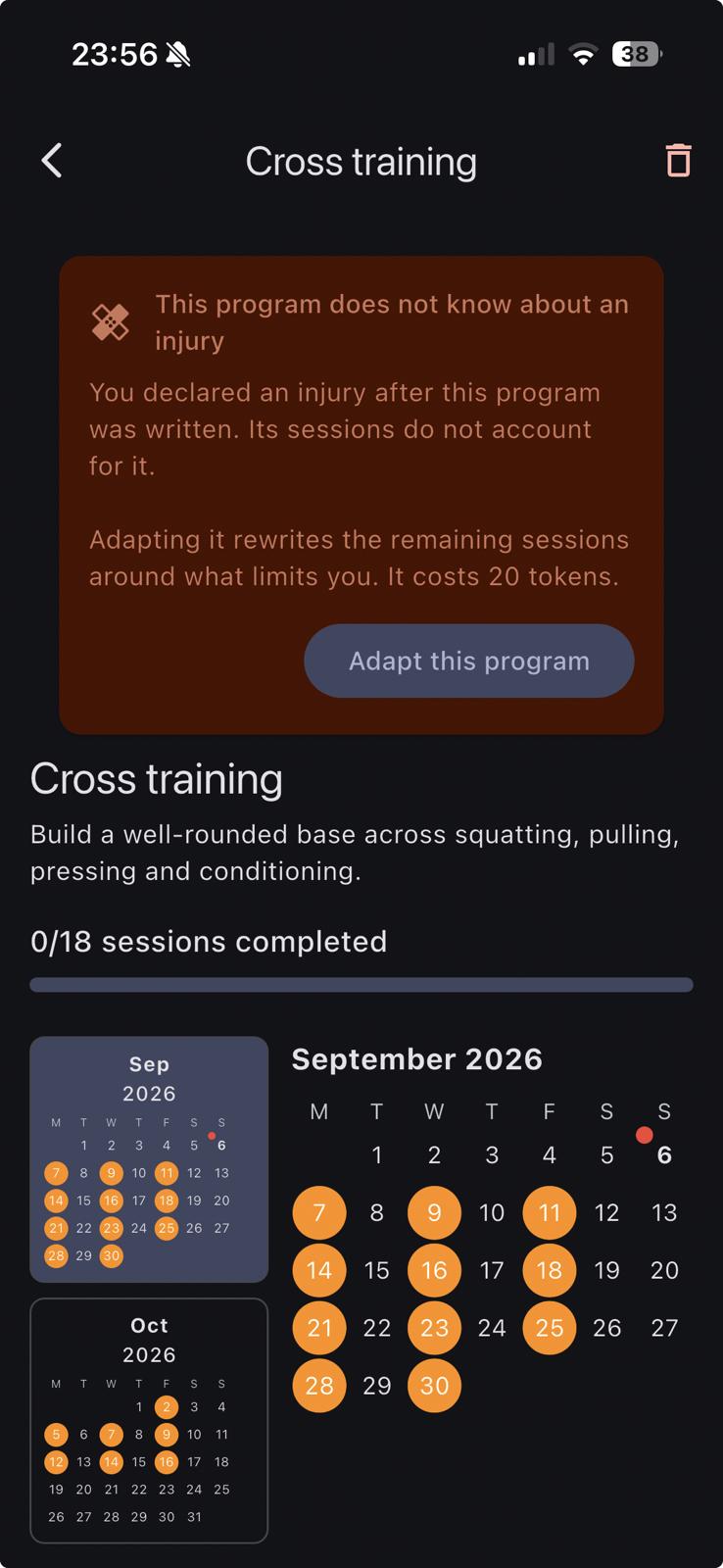
An injury-related restriction, a permanent physical limitation or a change in available equipment can affect what you need from a program. Lya lets you request adaptations to the sessions that remain in your plan.
You do not need to frame every constraint as temporary. Describe a permanent limitation as part of the context your program needs to account for.
Before you send: a request checklist
Explain what has changed or what the current program does not account for. A useful request names the constraint and the parts of your plan you want to keep.
- Your restrictions: describe the movements or activities your plan needs to account for, using any specific guidance you have been given. A diagnosis or a broad label alone may not explain the restriction.
- Permanent or temporary context: say if a limitation is permanent rather than asking the app to assume it will resolve.
- Your remaining sessions: explain which part of the program you want adapted.
- Your equipment and schedule: list what is available and what you would like to keep unchanged.
- What you want explained: ask Lya to describe its proposed changes so you can review them.
An illustrative request, step by step
The following is a fictional product example, not a restriction recommended for a particular injury. It shows how to phrase a request; it is not a recorded conversation or a verified training result.
Please adapt my remaining sessions around the following restriction for this example: no overhead movements. Keep my current training schedule and available equipment. Explain the changes you propose before I apply them.
For your own request, replace the example restriction with your actual context. If you have been given restrictions by a healthcare professional, describe those rather than copying this example.
Check the request and the revised sessions
- Describe your constraints. Use the checklist above to explain what your remaining sessions need to account for.
- Read the information shown in the app. Check any token cost and confirmation before proceeding. Do not assume an adaptation is included in the free programs.
- Review the updated sessions. After an adaptation, open your remaining sessions and check what changed. Clarify any missing constraints rather than assuming the generated plan has understood everything.
A generated adaptation is not a medical assessment and does not establish that an exercise is appropriate for an injury or condition. Follow the restrictions provided by your healthcare professional.
What is included?
Program adaptations are a Lya Premium feature. You can explore the free six-week catalogue, with available variants for your profile and equipment. See how Lya works for the distinction between free programs and Premium features.
A training tool with a clear role.
Lya does not diagnose injuries, provide rehabilitation or replace the guidance of a qualified healthcare professional. Use the restrictions you have been given when describing your needs.
Need help with the app? Contact Lya support.